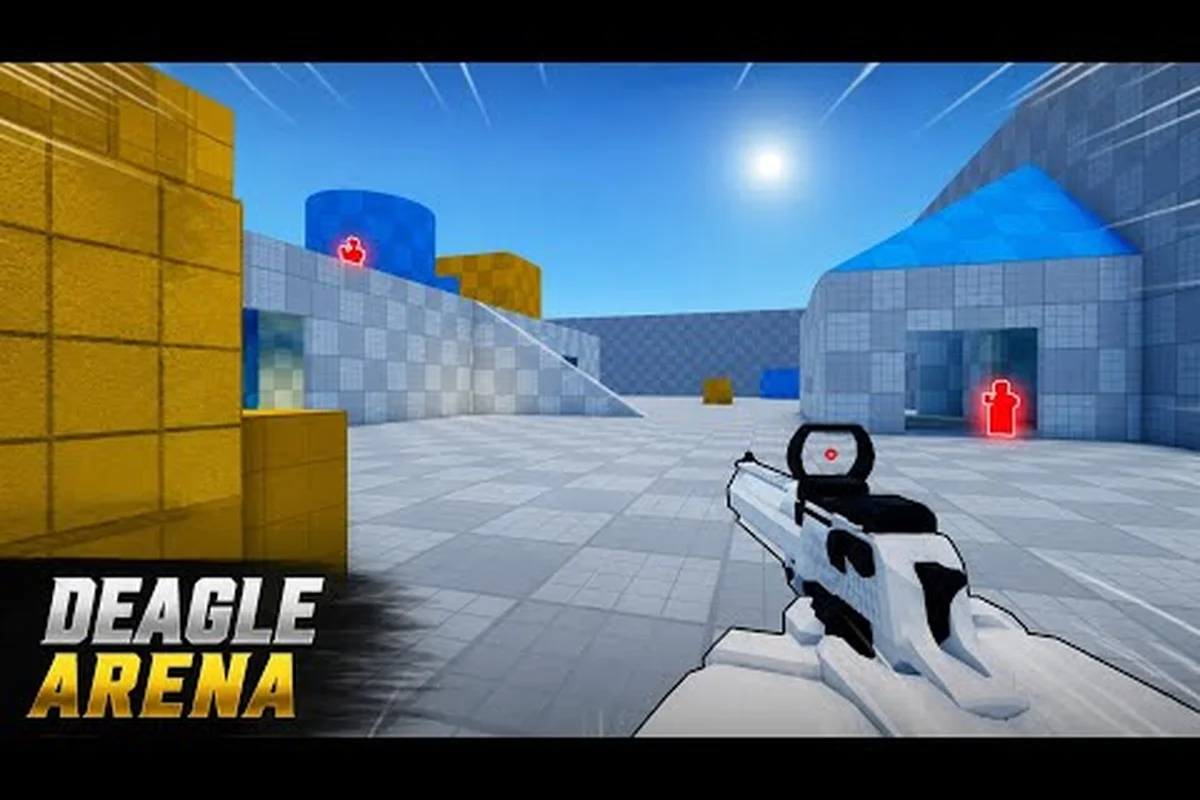
If you just spawned into Deagle Arena for the first time, you have probably already been one-tapped by a sliding player with a golden skin. This Deagle Arena complete guide breaks down everything you need to know, from the core mechanics and game modes to the best PC settings for consistent aim. Get the full picture here so you can stop feeding and start climbing the leaderboard.
Why This Deagle Arena Complete Guide Matters
Deagle Arena is a fast-paced, Deagle-only shooter on Roblox that has exploded in popularity, racking up over 56 million visits and 2.7 million favorites since its launch in April 2026, according to the official Roblox API. The game strips away the complexity of loadouts and abilities, leaving only one weapon: the Desert Eagle. That simplicity is deceptive because mastering the single-shot pistol requires precise aim, controlled movement, and deep map knowledge.
This Deagle Arena walkthrough is designed to fast-track your progress. Instead of spending dozens of hours learning through trial and error, you will get a structured path that covers the essentials. Here is what you will learn:
-
Core mechanics: Shooting, sliding, and movement tech explained.
-
Game modes: FFA Deathmatch and Competitive Ranking breakdown.
-
Progression systems: How leveling, cash, and skins work.
-
PC settings: The best sensitivity and graphics options for stable FPS.
-
Advanced tactics: Positioning, peeking, and crosshair placement.
The game currently averages around 21,000 concurrent players, which means the lobbies are always full and the competition is fierce. Whether you are a complete newcomer or a returning player looking to refine your skills, this Deagle Arena tutorial will give you the edge you need. Let's break down the fundamentals first.
Core Mechanics and Controls for Every Platform
Before you can start landing those satisfying one-tap headshots, you need to understand how the game controls on your preferred platform. The developers have implemented a surprisingly robust control scheme that works across PC, mobile, and controller, although the experience does vary significantly between them.
PC Controls and Mouse Settings
The PC version is where the game truly shines, and the controls are straightforward. You use the left mouse button to shoot, the right mouse button to aim down sights, and C or Ctrl to slide. This simple layout allows for fluid movement, but the real skill lies in combining these actions. For instance, you can slide into an engagement while simultaneously flicking your mouse to line up a headshot.
| Action | PC Key | Controller Button | Mobile Input |
|---|---|---|---|
| Shoot | M1 (Left Click) | R2 / RT | Release Shoot Button |
| Aim Down Sights | M2 (Right Click) | L2 / LT | Hold Shoot Button |
| Slide | C or Ctrl | B or O | Dedicated Slide Button |
| Jump | Spacebar | A / Cross | Jump Button |
| Reload | R | Square / X | Reload Button |
The mobile controls are particularly interesting because the game uses a hold-to-aim mechanic. You hold the shoot button to bring up your sights, and release it to fire. This is a clever adaptation that allows for precise aiming on a touchscreen, although it takes some getting used to. If you are playing on mobile, you should check out the mobile guide for specific sensitivity recommendations.
Understanding the Slide Mechanic
The slide is the most important movement tool in your arsenal. It allows you to close distance quickly, dodge incoming shots, and make yourself a harder target to hit. When you slide, your character's hitbox lowers, which means enemies aiming at head level will miss entirely. The best players use the slide aggressively to enter fights, but you can also use it to retreat around a corner when you are low on health.
Mastering the slide requires practice because it has a brief cooldown. Spamming it will leave you vulnerable, so you need to time your slides based on the flow of combat. A common technique is to slide into an angle, fire a shot, and then slide back out before the enemy can react. This is the foundation of aggressive play in this game, and you can learn more about it in the movement guide.
Game Modes and Competitive Ranking Explained
Deagle Arena offers two primary ways to play: the casual FFA Deathmatch and the more serious Competitive Ranking mode. Each mode serves a different purpose, and understanding the difference is key to your progression. While the core gunplay is identical, the pace and strategy shift dramatically depending on which mode you choose.
FFA Deathmatch: The Training Ground
FFA Deathmatch is exactly what it sounds like: a free-for-all where every player is your enemy. The first player to reach the kill limit wins the match. This mode is chaotic and fast-paced, which makes it the perfect place to practice your aim and movement without the pressure of losing rank. You will die a lot, but that is the point. The respawn times are short, so you can get right back into the action and keep practicing.
This mode supports up to 8 players per server, which keeps the action constant. Because there are no teams, you have to be aware of your surroundings at all times. Third-partying is common, so you should always assume that another player is watching your fight and waiting to clean up the scraps. This constant awareness will translate directly to better performance in competitive matches.
Competitive Ranking and Progression
Competitive Ranking is where the real challenge lies. This mode tracks your performance and assigns you a rank based on your wins and kills. Climbing the leaderboard requires consistent performance, and the competition gets noticeably tougher as you progress. The game uses a skill-based matchmaking system, which means you will be matched against players of similar ability.
| Rank Tier | Skill Level | Matchmaking Pool |
|---|---|---|
| Bronze | Beginner | New Players |
| Silver | Intermediate | Casual Players |
| Gold | Advanced | Experienced Players |
| Platinum | Expert | Top 10% |
| Diamond | Elite | Top 1% |
Your rank is determined by a combination of factors, including your win/loss ratio, your average kills per match, and your overall accuracy. The system is designed to reward consistent play rather than occasional flashes of brilliance. If you want to climb, you need to focus on surviving longer and winning your duels rather than just chasing kills. Dying early in a competitive match costs you valuable points, so prioritize smart positioning over aggressive pushes.
Best PC Settings for Maximum Performance
Performance is king in any competitive shooter, and Deagle Arena is no exception. If you are playing on a low-end laptop, you need to optimize your settings to maintain a stable frame rate. A higher frame rate means lower input latency, which directly translates to better aim. This Deagle Arena PC settings guide will help you get the most out of your hardware.
Graphics Settings for FPS
The game is built on Roblox's engine, which means the graphics settings are relatively limited compared to standalone shooters. However, there are still a few key adjustments you can make to boost your performance. The most important setting is Graphics Quality, which you should set to the lowest possible value. This reduces the rendering load on your GPU and ensures that your frame rate stays high.
| Setting | Recommended Value | Impact on FPS |
|---|---|---|
| Graphics Quality | 1 (Lowest) | High Increase |
| Shadow Quality | Off | Medium Increase |
| Texture Quality | Low | Low Increase |
| Effects Quality | Off | Medium Increase |
| Frame Rate Cap | Unlimited | Variable |
You should also disable any unnecessary visual effects, such as shadows and particles. These effects look nice, but they consume valuable processing power that could be used to render the game at a higher frame rate. If you are experiencing stuttering, you should also check your network connection, because a high ping can cause more issues than low FPS. For a deeper dive into performance optimization, check out the FPS settings guide.
Sensitivity and Crosshair Setup
Your mouse sensitivity is the most personal setting in the game, and there is no single "best" value. However, most top players use a relatively low sensitivity because it allows for more precise aiming. A good starting point is around 0.5 to 0.8 in-game sensitivity with a DPI of 800. From there, you can adjust based on your personal preference and the size of your mousepad.
The crosshair is equally important. You want a crosshair that is visible against any background, so a bright color like green or cyan is recommended. The size and thickness are also personal preferences, but a smaller crosshair is generally better because it obscures less of your target. You should experiment with different styles in the practice range until you find one that feels natural. The aim guide has more detailed recommendations for crosshair placement and recoil control.
Advanced Tactics and Strategies to Win More Duels
Once you have the fundamentals down, it is time to start thinking about strategy. Winning in Deagle Arena is not just about who has the better aim; it is about who makes better decisions. This section covers the advanced tactics that separate the top players from the average ones.
Positioning and Map Control
The arenas in Deagle Arena are designed with multiple lanes and sightlines. Controlling the high-traffic areas gives you a significant advantage because you can dictate the pace of the fight. You should always try to hold an angle that gives you a clear view of a choke point while minimizing your exposure. This is called holding a power position, and it is the most effective way to get easy kills.
| Map Area | Advantage | Risk Level |
|---|---|---|
| Center Lane | High Visibility | High Risk |
| Side Corridors | Flanking Routes | Medium Risk |
| Elevated Platforms | Overlook Angles | Low Risk |
| Spawn Points | Quick Kills | Very High Risk |
You should avoid camping in spawn points because players spawn with temporary invulnerability, which means they can kill you before you can react. Instead, focus on the elevated platforms and side corridors, which offer better sightlines and escape routes. If you want to learn more about specific map tactics, the peeking guide covers this topic in detail.
Economy and Skin Progression
As you play, you will earn cash and experience points. Leveling up unlocks new skins, while cash can be used to purchase them. While skins are purely cosmetic, they serve as a status symbol and can give you a psychological edge over your opponents. A player with a rare, glowing skin is often perceived as more skilled, which can make less confident opponents play more passively.
| Progression Method | Reward | Time Investment |
|---|---|---|
| Leveling Up | Unlock New Skins | Medium |
| Winning Matches | Bonus Cash | Low |
| Daily Login | Free Cash | Very Low |
| Redeeming Codes | Free Skins/Cash | Instant |
You should always check for new codes because the developers regularly release them through the official Roblox community group. Joining the Deagle Arena community group is the best way to stay updated on new codes and upcoming features. The group has over 707,000 members and is the official hub for bug reports and announcements.
Frequently Asked Questions
What is the best way to improve my aim in Deagle Arena?
The most effective method is to practice your crosshair placement in FFA Deathmatch. Always keep your crosshair at head level and anticipate where enemies will appear. Lower your sensitivity to around 0.6 and focus on making small, precise adjustments rather than large flicks. Consistent practice will build muscle memory.
How do I get free skins and cash?
You can earn free cash by leveling up and winning matches. The developers also release redeem codes regularly through the official Roblox community group. Joining the group and checking the announcements tab is the best way to stay informed about new code drops and limited-time events.
Is Deagle Arena available on mobile?
Yes, the game is fully playable on mobile devices. The controls use a hold-to-aim mechanic where you hold the shoot button to aim and release to fire. While the experience is slightly different from PC, mobile players can still be competitive with practice and proper sensitivity settings.
What are the best PC settings for low-end devices?
Set your Graphics Quality to 1, disable shadows and effects, and cap your frame rate to match your monitor's refresh rate. These settings will significantly boost your FPS and reduce input lag. A stable frame rate is more important than visual fidelity in a competitive shooter.
How does the competitive ranking system work?
Your rank in Deagle Arena hinges on win/loss ratio, average kills, and accuracy, with skill-based matchmaking pairing you against similar players. To climb, prioritize surviving duels and securing wins over racking up kills—consistent placement beats flashy numbers. Focus on positioning and patience to outlast opponents.